The Vendor's MSA just landed. Handled.

The Vendor's MSA just landed. Handled.

Wordsmith orchestrates the entire review cycle. Inbound paper is automatically checked against your playbook, flagged for risks, and redlined before you've even opened the attachment. Every review makes the system smarter for the next one.

Wordsmith orchestrates the entire review cycle. Inbound paper is automatically checked against your playbook, flagged for risks, and redlined before you've even opened the attachment. Every review makes the system smarter for the next one.

Trusted by the world’s leading companies

Trusted by the world’s leading companies

yellow sunflower in close up photography

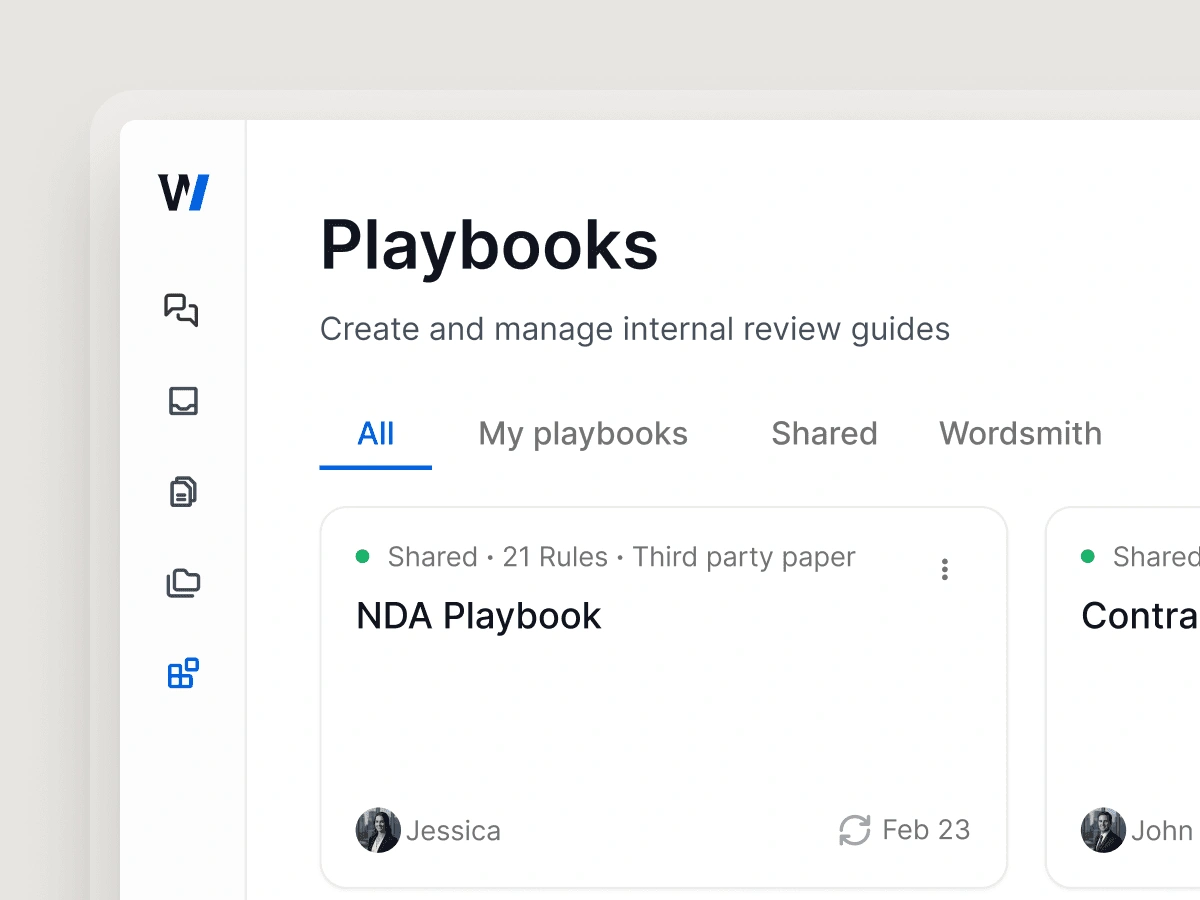
Your company's playbook, applied automatically at scale.

Stop manually checking fallback positions. Wordsmith reads the counterparty paper, identifies deviations from your standard terms, and automatically drafts the redlines for your review, whether you process ten contracts a month or ten thousand.
Your company's playbook, applied automatically at scale.

Stop manually checking fallback positions. Wordsmith reads the counterparty paper, identifies deviations from your standard terms, and automatically drafts the redlines for your review, whether you process ten contracts a month or ten thousand.

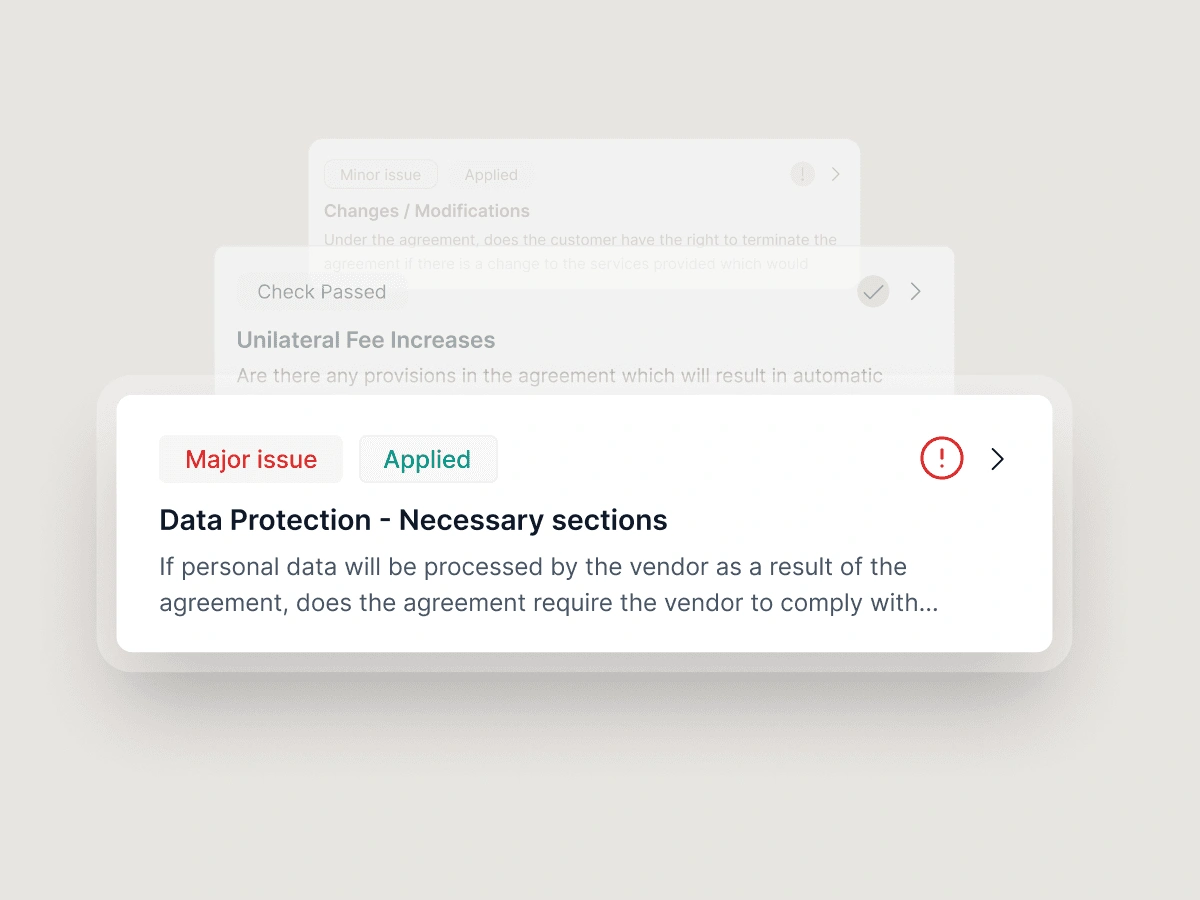
Spot risks with full compounding context

Wordsmith doesn't just flag a bad clause, it explains exactly why it violates your policy, drawing on past negotiated positions so you can decide instantly whether to accept, redline, or escalate.
Spot risks with full compounding context

Wordsmith doesn't just flag a bad clause, it explains exactly why it violates your policy, drawing on past negotiated positions so you can decide instantly whether to accept, redline, or escalate.

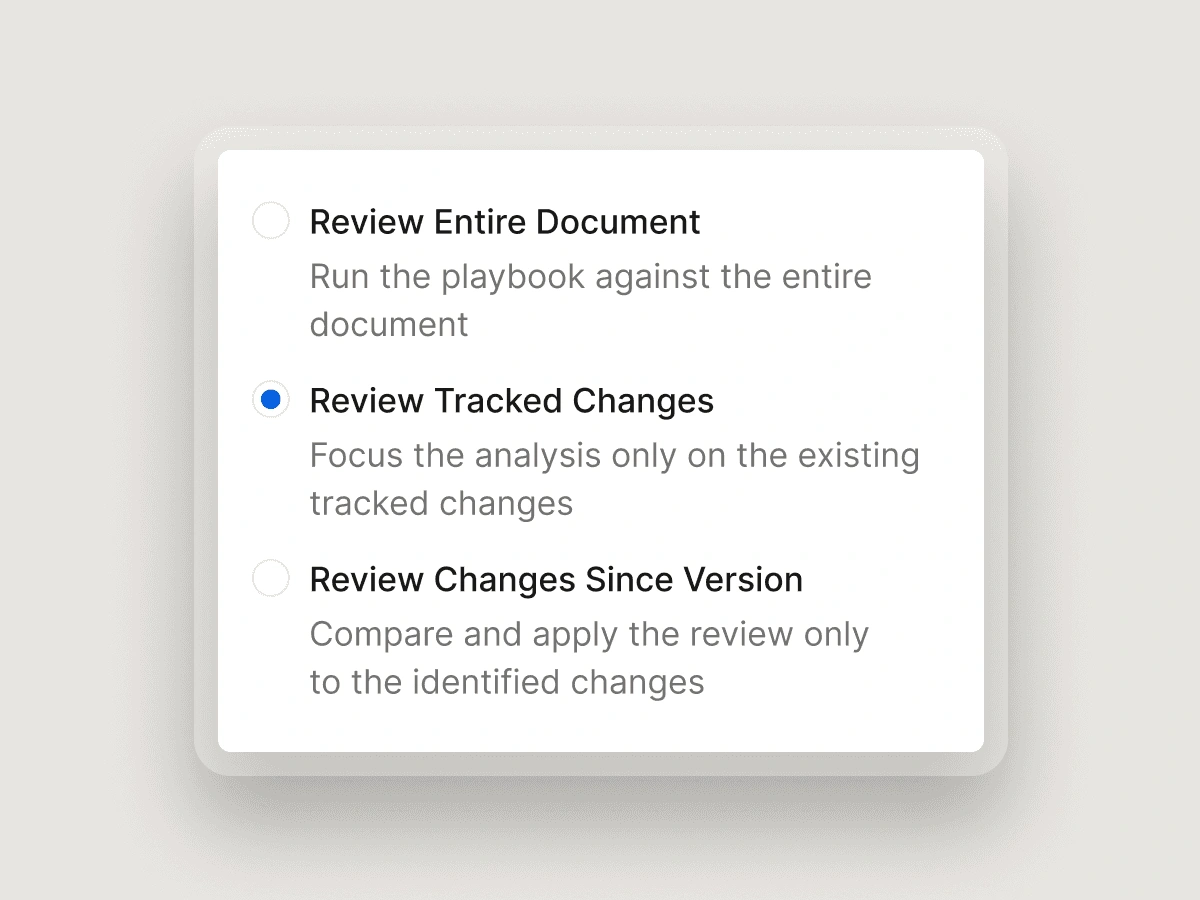
Scale your standards across the whole organisation

The counterparty sent back their revised redline. Wordsmith focuses the review only on what changed since the last version, flagging new deviations against your playbook without re-reviewing what was already agreed. Sales, Procurement, Finance: every team gets governed, first-pass reviews within the tools they already use. Legal sets the standard once. The whole business runs within it.
Scale your standards across the whole organisation

The counterparty sent back their revised redline. Wordsmith focuses the review only on what changed since the last version, flagging new deviations against your playbook without re-reviewing what was already agreed. Sales, Procurement, Finance: every team gets governed, first-pass reviews within the tools they already use. Legal sets the standard once. The whole business runs within it.

From routine to complex. One platform.

See how different teams use Wordsmith review across every contract type.

Low-risk, high-volume: NDA review without the queue

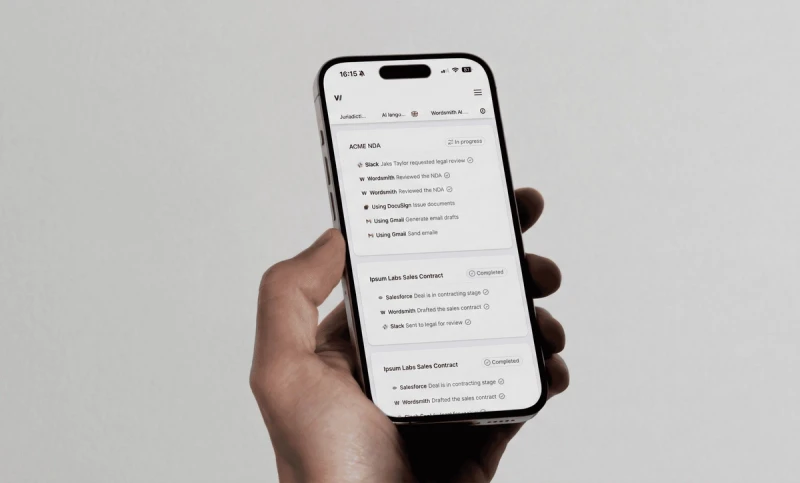
The NDA lands in Slack or arrives by email. Wordsmith runs it against your playbook automatically, flags any deviations, and returns a reviewed version. No lawyer needed for routine agreements. Legal stays in control of the standard without being in the loop for every contract.

Privacy and compliance: DPA review in Word

Your privacy counsel opens the DPA in Microsoft Word, runs the Wordsmith add-in, and gets a full playbook-aligned review directly in the document. Every data handling clause is checked against your risk thresholds, and every deviation is flagged with a plain-English explanation. Nothing gets missed.

Commercial deals: SaaS vendor agreement review

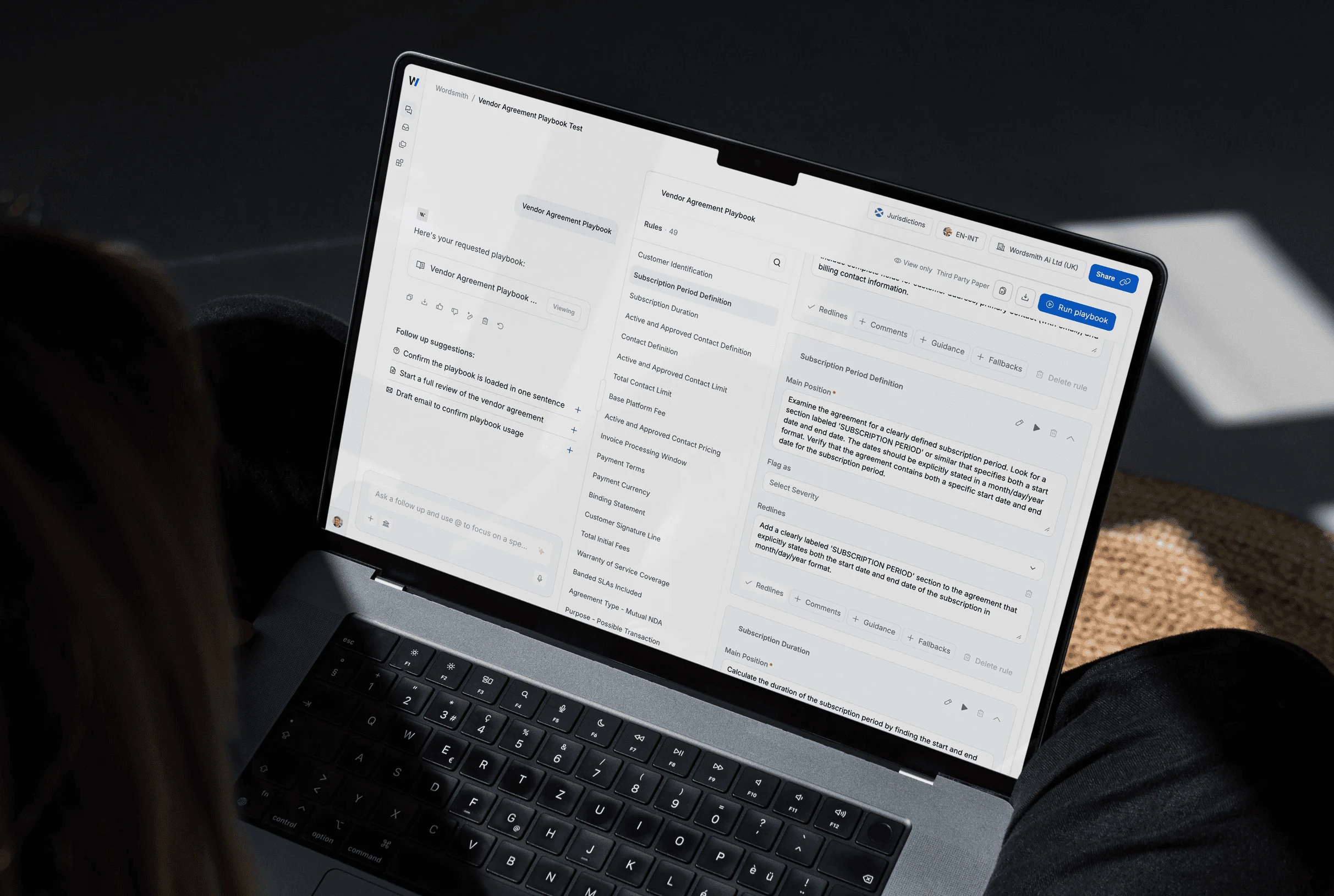
Third-party paper arrives. Wordsmith runs 100+ checks against your negotiation playbook, flags every deviating clause, suggests redlines, and generates a marked-up version ready to send back. The lawyer reviews, accepts or adjusts, and sends. Hours become minutes.

Low-risk, high-volume: NDA review without the queue

The NDA lands in Slack or arrives by email. Wordsmith runs it against your playbook automatically, flags any deviations, and returns a reviewed version. No lawyer needed for routine agreements. Legal stays in control of the standard without being in the loop for every contract.

Privacy and compliance: DPA review in Word

Your privacy counsel opens the DPA in Microsoft Word, runs the Wordsmith add-in, and gets a full playbook-aligned review directly in the document. Every data handling clause is checked against your risk thresholds, and every deviation is flagged with a plain-English explanation. Nothing gets missed.

Commercial deals: SaaS vendor agreement review

Third-party paper arrives. Wordsmith runs 100+ checks against your negotiation playbook, flags every deviating clause, suggests redlines, and generates a marked-up version ready to send back. The lawyer reviews, accepts or adjusts, and sends. Hours become minutes.

BOOK A DEMO

Ready to transform your
legal department?

See how the world's leading legal teams are building the future of in-house legal.

BOOK A DEMO

Ready to transform your
legal department?

See how the world's leading legal teams are building the future of in-house legal.

FAQ SECTION
FAQ SECTION

Frequently asked questions

Frequently asked questions

We've compiled the most important information to help you get the most out of your experience. Can't find what you're looking for? Contact us.

We've compiled the most important information to help you get the most out of your experience. Can't find what you're looking for? Contact us.

Does Wordsmith train on the contracts we submit?

Can I review multiple documents at once?

Can Wordsmith perform reviews in different languages?

What happens after a review?

Can I run Playbooks inside Word?

What agreement types are supported?

How can I create a custom playbook?

How can I collaborate with someone on a Playbook/ can someone else edit a playbook I created?

How do I review online terms? Or a link to terms hosted online?

Can someone see the reviews I have performed?

Does Wordsmith train on the contracts we submit?
Can I review multiple documents at once?
Can Wordsmith perform reviews in different languages?
What happens after a review?
Can I run Playbooks inside Word?
What agreement types are supported?
How can I create a custom playbook?
How can I collaborate with someone on a Playbook/ can someone else edit a playbook I created?
How do I review online terms? Or a link to terms hosted online?
Can someone see the reviews I have performed?

Copyright © 2026 Wordsmith AI. All rights reserved. WORDSMITH is a registered trade mark of Wordsmith Law LLP and is used under licence.

Copyright © 2026 Wordsmith AI. All rights reserved. WORDSMITH is a registered trade mark of Wordsmith Law LLP and is used under licence.